 OK, now it's not FUD. This may be the wake up call for Oracle, or the end of OpenSolaris (as it is now) … Continue reading
VirtualBox: properly renaming virtual applications (updated)
 This is one thing that I am doing quite often: create a "gold image" system, export it as a Virtual Application, and then create a number of clones from that. Unfortunately, VirtualBox doesn't change the MAC address of the network interfaces, so if you clone N systems, they will end all with the same MAC… Ouch!!! And what about host names?
So, let's see how to properly rename the system (both hostname and MAC). Note that there may be other stuff you need to change (like, for example, server SSH keys). We'll make a concrete example here:
- the "golden image" isn't a running system (we can safely start a clone of it without screwing the network or anything else)
- the "golden image" is a Debian system (Lenny, in my specific case)
- the "golden image" hostname is golden, the name of the clone will be newname
First thing: start the system and log in as root. Then:
vi /etc/hosts /etc/hostname
In vi, do:
:%s/golden/newname/g
:w
:n
:s
:wq
These instructions will:
- change all occurences of golden to newname
- write out the file
- switch to the next file
- repeat the substitution
- save and exit
Then move away some annoying udev rules:
mv /etc/udev/rules.d/70-persistent-net-rules{,.save}
Now shut down the system:
shutdown -h now
Once the system is down, run the VirtualBox gui and select the settings for the new system; get to the advanced network settings and push the "recycle" button to generate a new MAC. Do this for each interface the machine has. Then save the settings and boot again.
…and you are done 😉 Have fun with your new clone!
Update: if your golden image can't be switched off, you can use the following procedure.
Before booting the new machine, set both interfaces as they had the cable unplugged, and generate a new MAC address for each interface straight away. Then boot it, and do all the file changes as described above, including moving away the 70-persistent-net-rules file. Now plug the virtual interfaces by right clicking on the network icon at the bottom of the console, selecting the Network Interface item and ticking the corresponding checkbox.
You are done, and once you reboot you'll see your system come up with its new name and with the network interfaces properly configured.
mysql: temporarily removing the root password
 It's year 2010, yet there are softwares around that still expect that a database shouldn't have a root password set when you connect from localhost… And I have to install one of such softwares.
So, what to do? Well, let's assume that your mysql has a root password 'somepass'. You need to wipe it, install the software and then set it again. Luckily, that's simple:
mysql -u root mysql
type in your root password and get a
mysql>
prompt. Then:
UPDATE user SET Password='' where USER='root';
FLUSH PRIVILEGES ;
Leave this window open without exiting mysql, since you'll need it in a few minutes. Now go and install that crappy software. Once finished go back to the mysql window and:
UPDATE user SET Password=PASSWORD('somepass') where USER='root';
FLUSH PRIVILEGES ;
Is this safe/secure? No, it isn't, since you are exposing your DB to a "race condition" (someone that is able to log into your machine could just make a mess of your data, or grant himself full access to the database while you are installing your software). If you need to do this securely you should either patch the crappy software and make it sane about root access to the DB, or go to the console, unplug the network cable and reboot the machine in single user mode. Your call 🙂
Internet lingo: relay
 This was a real question I was asked by a non-technical person. The answer is nothing that you could put inside a technical book, but maybe will help you to better understand how things work.
what does "relayed" mean (when talking about email)?
in a relay race, contenders in a team hand on the baton to each other until they carry it to the finishing line.
When you send an email, you hand it on to a server that takes it and hands it on to another server that knows how to deliver it to the final destination. This process can happen again and again in a chain of servers, until the message reaches its final destination.
This process of handing the message on from a server to the other, so similar to a relay race, is also called relay.
Depending on the conditions, a server may allow or deny the relay. For example, I can relay mail using Tiscali's mail servers when I am on their network (e.g. using my Tiscali ADSL at home), but when I am in Oslo, I cannot.
rsync, rsyncd, and filters
 I had a problem to solve today. I have a bunch of files in a remote rsyncd repository, which I'll call "PuppetConf", and a number of them that I want to synchronize more often than the others, which I'll call "volatile files" or simply "volatile". Now, the problem is that volatile files, which used to reside in /volatile, now need to be located in other paths as well, and I needed a clever way to synchronize them alltogether without involving complex, long command line expressions.
After some experimenting with export, import, and filters, I finally found a way to do that. This is my filter file:
# This should be run with:
# rsync -zav --delete --filter="merge /path/to/this/file" rsyncdserver::PuppetConf /destination/path
#
# To understand what the patterns in this file means, see the rsync man
# page, in particular the section FILTER RULES.
# If you don't want to go through all that, please read at least the
# following excerpt.
#
#        o      if  the pattern starts with a / then it is anchored to a
#               particular spot in the hierarchy of files, otherwise  it
#               is  matched  against  the  end of the pathname.  This is
#               similar to a leading ^  in  regular  expressions.
# [...]
#        o      a '*' matches any non-empty path component (it stops  at
#               slashes).
#
#        o      use '**' to match anything, including slashes.
#
# [...]
#        o      if the pattern contains a / (not counting a trailing  /)
#               or a "**", then it is matched against the full pathname,
#               including  any  leading  directories.
# [...]
#        o      a  trailing "dir_name/***" will match both the directory
#               (as if "dir_name/" had been specified) and everything in
#               the  directory (as if "dir_name/**" had been specified).
# [...]
#        Note that, when using the --recursive  (-r)  option  (which  is
#        implied  by  -a),  every  subcomponent of every path is visited
#        from the top down,  so  include/exclude  patterns  get  applied
#        recursively  to  each subcomponent's full name (e.g. to include
#        "/foo/bar/baz" the subcomponents "/foo" and "/foo/bar" must not
#        be  excluded).  [...] One solution is to ask for
#        all directories in the hierarchy to be included by using a sin-
#        gle  rule: "+ */" (put it somewhere before the "- *" rule)


# Scan every directory, top down
+ */

# Transfer the top-level volatile directory, and everything under it
+ /volatile/***

# Transfer the top-level release file
+ /release

# Find all those paths which end with nodes, and transfer everything below it
+ nodes/***

# Don't copy anything else
- *
So, if I run this command I update just the volatile files. Good enough, but I still have a long command line here.
The next step was to slightly change the rsyncd configuration that Claudia made server side. Having this stanza in rsyncd.conf:
[Volatile]
 path = /puppet
 comment = Volatile files
 read only = true
 transfer logging = true
 filter = merge /etc/rsyncd-filter.conf
 log format = %a %h %o %f %l %b
 log file = /var/log/rsyncd.log
where /etc/rsyncd-filter.conf is the same filter file you see above, shortens the rsync line to this:
rsync -zav rsyncdserver::Volatile /destination/path
and I like it a lot better 🙂
Note that I can't use the –delete option anymore, or I'd wipe everything but the volatile files off. This is not a big deal anyway, since I have to occasionally do a full sync, like:
rsync -zav --delete rsyncdserver::PuppetConf /destination/path
It's so nice to learn new things on the go 🙂
What is a “Configuration Management Tool” (and why you want to use it)


Preface
A number of contrasting definitions exist today for "configuration management"; it is enough to search "what is configuration management?" in Google and skim through the results. Since different definitions would lead to different interpretations of what a configuration management tool is, it's better to stop introduce the subject before we even start talking. Besides, since "Configuration Management System" would lead to the acronym "CMS" which is widely used now for stuff that has nothing to do with configuration management, we'll abdicate and talk about "Configuration management tools" or CMTs.
What is a CMT?
Configuration management tools are, well, tools that aim to empower system administrators to efficiently manage large installations of systems. They generally try to achieve this goal by classifying servers and applying specific configurations to each class, so that hosts in a chosen class are configured in the same way and work in the same way[1].
A strong recommendation (read: a requirement) of these tools is that the tool's configuration files are centralized and versioned in a version control system of some kind. The VCS is not part of the CMT, and the CMT usually doesn't impose any specific one. This is good news, since you can keep using your favourite one. By the way, in large installations you often have different people managing different parts. This may require different access rights to the CMT configuration, which may lead to the choice of a specific VCS that implements some sort of access control.
[1] More or less. We all know from experience that it is not enough for two servers to share the same configuration to work the same way. Besides, more other “noise” can affect the systems (e.g.: a badly hand-configured service, out of the control of the configuration management tool, may disrupt an otherwise well-working service under control).
But the most important thing comes when the human brain is involved. System administrators often tend to think at each system as a single entity that they configure by tweaking configuration files, and tuning the operating system here and there. Sysadmins have the concept of “class of servers” (a set of servers that perform the same function, e.g.: machines x, y and z are web servers). But the class is often created by repeating the same configuration job by hand on each machine.
This is not the case with CMTs. You now manage classes, not (just) servers: you don't configure servers (one or one hundred they may be): you configure a class. And going at the level of, say, the particular service's configuration file is left to the CMT.
When you are using a CMT you should limit low-level activities, directly accessing the operating system entities (files, devices, processes…), and leave it to the CMT to do such things, for a) your changes may be overridden by the CMT, and you'll get the (wrong) impression that it gets in the way instead of helping you, and 2) you'd get back to patch the single instance of the server instead of configuring the whole class.
In other words: if you are going to use a CMT, any CMT, you'll also need to change the way you think about server management. Without that change, a CMT may never fully work for you, since you'll feel it getting in your way rather than helping you.
The tools we'll compare, and how
The tools we'll compare are cfengine and puppet.
With its birth dating back in 1993, Cfengine is probably the oldest, best known, and more powerful tool around. It lays its foundation on the scientific theories of his creator, Marc Burgess. The current version of cfengine is 3.0.5.
Puppet is a younger project, started by Luke Kanies. It is being actively developed and has a community of enthusiast around it. The current stable version is 0.25.5, while the next stable will see a numbering change and become 2.6 (instead of 0.26.x).
Each tool will be analysed under three points of view: architecture (how the functionalities of the tool are organized), philosophy (the principles behind the tool) and peculiarities (things that make the tool special). This comparison will be rather high-level, and will focus on features. Rather than, say, showing examples about how to perform a specific task, we'll try to asnwer the following questions:
- Can this tool handle multiple service clusters (say 10 clusters of a hundred machine each), allowing different policies and access restrictions to be applied for configuration files (per cluster, per team, per user)?
- Can this tool handle multiple datacenters, where a single service is typically deployed in more than one datacenter?
- Does this tool natively integrate with monitoring tools (such as Nagios, Munin…) so that changes in the CMT configuration are reflected in the monitoring tools?
- Is it easy to maintain configuration repositories so that templates can be stored for easy modification and duplication?
- Is configuration change history supported?
- Is change request/approval/notification supported?
Some of this questions can get an answer right away.
Questions 4 and 5 all depend to the chosen VCS. Answer to question 5 is “yes” for any VCS, and answer to question 4 is “yes, once/given that you know the chosen VCS”.
Answer to question 6 is: “No or partially; that much depends on people role's and procedures they follow”. More on this later, along with the answers to questions 1, 2, 3.
Once done with the analysis of both tools, I'll try to answer to the questions above, and I'll talk about things that didn't find an answer or a solution. This will be a separate post.
And that's all for now. I'll see you next time with cfengine.
Proof-of-concept template for Convirt released
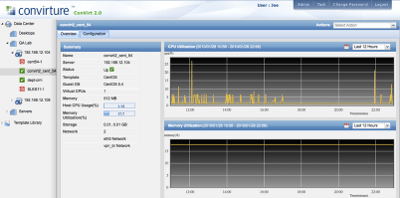 As I wrote in an earlier post, at $WORK we are evaluating Convirt 2.0. While not optimal, we like it in that it works well enough, has a web interface, it's not intrusive, and looks quite configurable. I haven't been digging a lot into it recently, due to higher priority tasks, but something good happened anyway.
To see if convirt allowed us to provision VMs "our way" (that is: Xen Tools + Debootstrap) I tried to create a simple, down-to-earth provisioning template, but I had a lot of issues with custom variables that disappeared from the template in some circumstances.
We had some information exchange on the forums, and even a conversation with a guy at Convirt, and we finally spotted where the problem was. I applied the workaround I was suggested by him, and I finally got it working! So, now this very first version is available from the convirt forums, and the whole forum thread is linked from the HOWTOs page.
Being a so basic, alpha quality template, you may find that there is still a lot to do, and that this stuff just doesn't fit your needs. Well, I agree 🙂 and I encourage you to read the "to-do list" and contribute to make this template better and better.
For now, have the right amount of fun 😉
New release of OpenSolaris this month?
If we have to trust this unpublished page, we can hope for a new OpenSolaris release this month!

I can't wait to try it!!!
OpenQRM and Convirt 2.0
 At work we have a fairly big Xen-based Virtual Infrastructure. I was asked to test OpenQRM to see if it could be easily integrated into the existing environment and used as a monitoring and provisioning tool.
OpenQRM is a very nice and powerful tool, and provides means for VM provisioning and life cycle management, it integrates with Nagios and has other interesting features like the Visual Cloud Designer that we'd liked to use.
Unfortunately, a transition of the existing virtual infrastructure to OpenQRM would not be exactly seamless, and we had to give up on this.
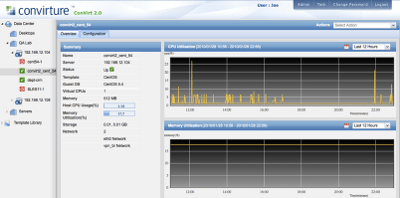 On the other end, the beta for Convirt 2.0 was out, with a Web 2.0 interface. My experiments with it were encouraging. Integration of existing Xen servers and VMs was seamless (almost 😉 this time. Things improved with the stable release, but there is still some work to do, and I am trying to contribute.
I am investing some time in trying to do useful things with it, and reporting bugs and impressions in the forums. In a few days I should contribute a (somehow pre-alpha, proof-of-concept, incomplete… yeah, yeah, it's a disclaimer!) template for everybody to test and improve.
 A sysadmin's logbook